
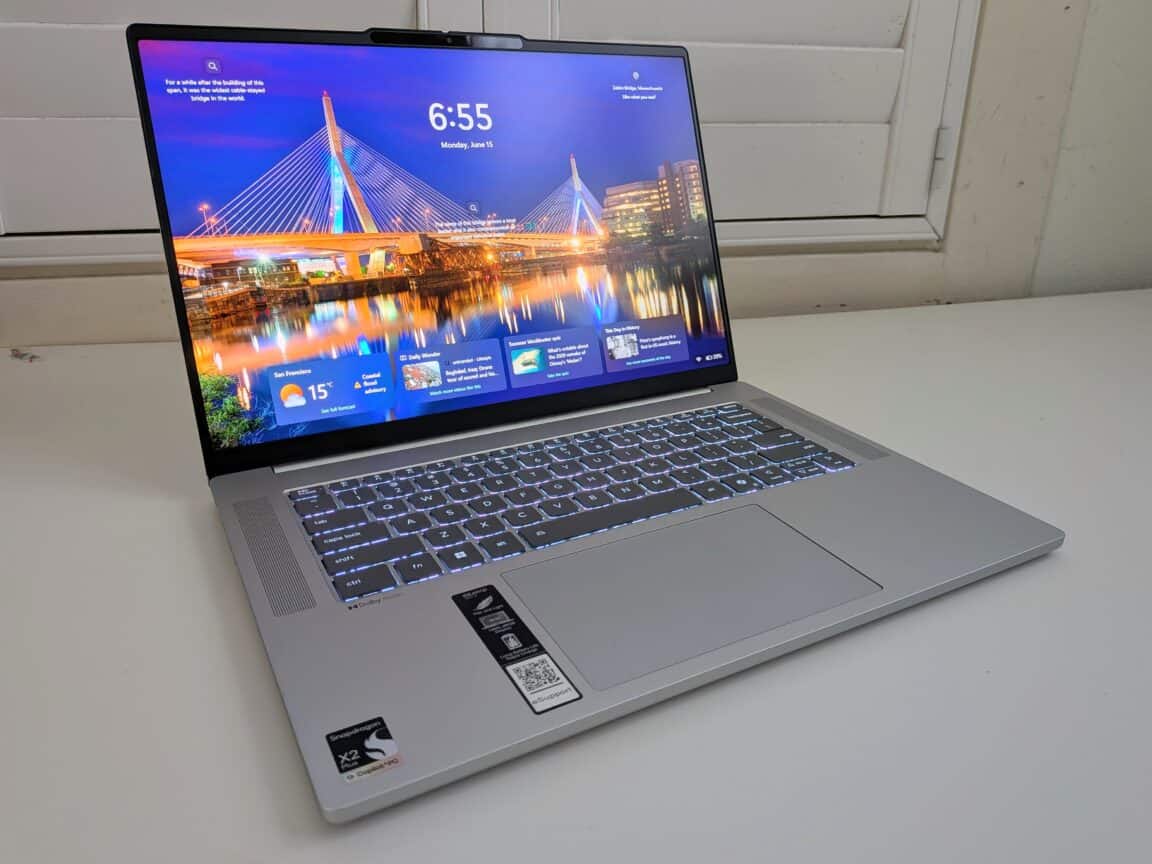
The IdeaPad line is Lenovo’s entry-level counterpart to the Yoga series of laptops and 2-in-1s — offering lots of flexibility for those looking for affordable, and somewhat basic everyday devices.
The Lenovo IdeaPad Slim 5x certainly fits that bill. It’s a 15.3-inch laptop with a 180-degree hinge that allows it to lay flat running on a Qualcomm Snapdragon X2 processor. Despite some design missteps that we’ll hit on in our Lenovo IdeaPad Slim 5x review, this laptop has enough pleasant surprises to make it a very compelling buy at $850.
Build and design
While the hardware is entry level, the Lenovo IdeaPad Slim 5x doesn’t look or feel cheap. The chassis is made of aluminum and has a nice, solid feel to it — it should hold up to being knocked around or stuffed into backpacks in a hurry. True to its name, it’s slim at 15.6mm thick, which helps keep the weight down to 3.11 pounds, on the lighter side for a 15.3-inch laptop. There is only one color option, which is a very aluminum-looking Cloud Grey.
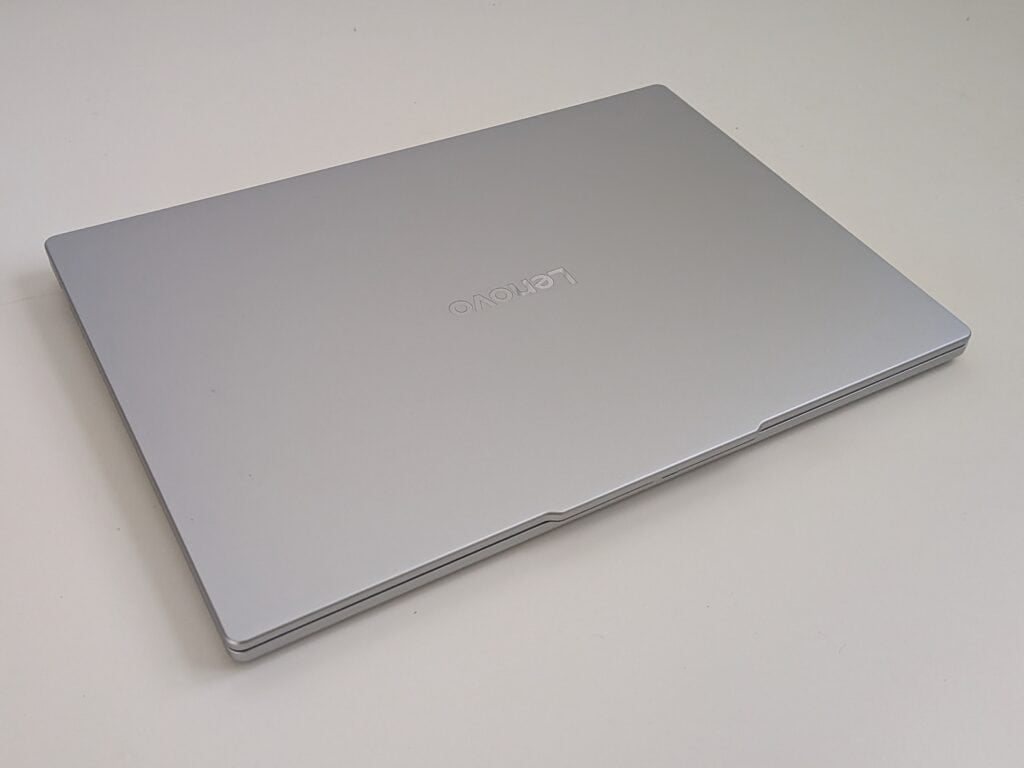
As mentioned above, the IdeaPad line tends to be full of more affordable alternatives to Lenovo’s Yoga line. The Yoga devices are known for 180-degree or 360-degree hinges, so no surprise we see one here — a 180-degree hinge allows this laptop to lay flat. I’m not sure how many uses there are for laying this laptop flat like that, but it’s good to see that the feature was implemented well. The hinge is sturdy and holds its position reliably.
Despite being a slim laptop, Lenovo didn’t short us on ports. There are two USB-A ports, two USB-C ports, one HDMI port, a combo 3.5mm headphone and microphone port, and a microSD card slot. My only small quibble, only because I’ve seen it on other laptops, is that the two USB-C ports are on the same side, and the two USB-A ports are on the other side — I like having the USB-A ports on different sides to avoid having to cluster drives or accessories on one side, but it’s not a deal-breaker.
Display and audio
The IdeaPad Slim 5x has a 15.3-inch 1920×1200 IPS touchscreen display, which isn’t a strength or a weakness. Videos don’t exactly pop off the screen, and it won’t do anything for HDR content, but it doesn’t look bad by any means. The only downside is that the display tops out at 400 nits of brightness, which was a little dim when I used the laptop outside in sunlight or near a window.
Audio, on the other hand, was a pleasant surprise. The IdeaPad Slim 5x has dual upward-firing 2W speakers that sound excellent. Bass response is stronger than I’m used to with laptops, and doesn’t get lost behind everything else. Music sounded clear, and instruments sounded distinct. Max volume is pretty loud, and I didn’t notice any distortion at the highest volumes.
Atop the display is a 1080p webcam with an infrared sensor, a physical privacy shutter, and a ToF sensor. The infrared sensor enables unlocking Windows 11 through facial recognition, which works quickly and consistently. Probably a good thing they included that, because there’s no fingerprint sensor, making facial recognition your own biometric security option. Video quality for calls is not bad for the price.
Battery life
With a slim build, the IdeaPad Slim 5x has a small-ish battery for its size at 54.7Whr. In theory, that’s made up for by the use of the efficiency-forward Snapdragon X2 Plus chipset. In practice, I found myself wishing for just a little more in this department. In basic use (web browsing, writing, Spotify in the background), one hour of use used up 15% of battery capacity — my guess is that most days, the battery would last 6-8 hours of continuous use. Not bad, as that will get you through a workday, but maybe not up to expectations. Granted, it was a pretty hot day when I tested the battery, so what I got might be on the low side.
An hour of watching videos seemed to use the battery at about the same rate, so if you wanted to use this laptop to binge a series on the couch in an afternoon, the battery won’t stop you. Gaming, on the other hand, nukes the battery. An hour of Genshin Impact at high settings took a full 50% of battery capacity, which took me a bit by surprise, and that wasn’t at max display brightness, either.
Fortunately, any battery anxiety you might run into will be assuaged by fast charging times. With the included charging adapter, the battery went from 2% to 49% in 30 minutes, and got back up to 86% in one hour. Even just 10 minutes plugged in got me back up to 18%, so it doesn’t take much time to give yourself at least another hour or so of unplugged use.
I think most of the battery shortcomings are rooted in the smaller battery capacity — it seems like with this laptop, Lenovo used the efficiency of the Snapdragon X2 Plus chipset to use a smaller battery and make the laptop slimmer in doing so. So, think of it as trading ease of portability for battery life. I don’t mind that tradeoff in theory, but I would have preferred a little more capacity than what’s here.
Performance
While battery life didn’t impress me as much as expected, the boost in performance with this year’s Snapdragon X2 Plus chipset is remarkable. For one, the platform just works with more games now, and while there are still some gaps, major games like Fortnite and Baldur’s Gate 3 work fine on Snapdragon processors now.
The Snapdragon X2 Plus chipset in use here has the 6-core CPU, with all of those being prime cores clocked at 4.0GHz, plus Adreno graphics and an NPU for AI applications capable of 80 TOPS. The chipset is in use with 16GB of RAM and a 512GB SSD for storage.
While that chipset doesn’t have the high-end performance of the Snapdragon X Elite line, this 6-core option is tuned more for performance at its price point. So, despite not having great high-end power, I found that this laptop ran games like Fortnite and Genshin Impact fairly well. Nothing miraculous — Fortnite didn’t hit a stable 60fps even at low settings — but they were playable, and playable for a sub-$1,000 laptop that has no ambitions of being a gaming laptop is not too bad at all.
For connectivity, I was happy to see Wi-Fi 7, which makes Wi-Fi appreciably faster as long as you’re connected to an equally capable router. There’s also Bluetooth 5.4 for wireless headphones, mouse, and other accessories.
Keyboard and trackpad
Usually this is where Lenovo excels, but the keyboard and trackpad situation was a tad bit weak here. For as premium as the aluminum chassis feels, the keys and the trackpad feel a touch cheap, especially when clicking with the trackpad. There’s no number pad, which will be an issue for some.
The trackpad however is large, which is nice, but I would’ve liked it to have been shifted over a little more to the left to better avoid accidental palm touches from my right hand, which happened more frequently than I get with most other laptops.
Software
The IdeaPad Slim 5x runs Windows 11 and, like usual with Snapdragon PCs, is a Copilot+ PC. Microsoft still has a loose definition of what a Copilot+ PC is, but generally it means that it’s an AI-forward device — the NPU on the Snapdragon X2 Plus ticks that box. It also means that the keyboard has a dedicated Copilot button, which is indeed the case here.
The Copilot experience still feels rooted in the past. Hitting the Copilot button brings up a Copilot window with a bunch of tabs to bring up projects, searches, shopping assistance, image generation, and the like. To actually have a dedicated button (and taking away the right CTRL key in the process), it feels like Copilot needs to be more contextual right off the rip, offering to do perform actions relevant to what you’re doing or what’s on screen (provided that that’s an opt-in thing). By simply launching a general AI menu, the Copilot key doesn’t feel more convenient or efficient than just navigating to whatever specific AI feature you need in the moment.
AI has opened up some useful features on Windows laptops. Click to Do is sort of like Circle to Search on Android phones — by clicking with the Windows button, you can click on text or images, and AI will intelligently group what you’re clicking on and enable search or editing features. There’s also Recall, now an opt-in feature, which if you consent will take regular screenshots that you can use later to search through and go back to what you were doing at an earlier time.
Pricing and availability
The Lenovo IdeaPad Slim 5x is available in Cloud Grey and with 16GB of RAM and a 512GB SSD for $850. There should be more expensive configurations available, as well.
Bottom line
The Lenovo IdeaPad Slim 5x packs quite a punch for an $850 laptop. The performance boost in the Qualcomm Snapdragon X2 Plus chipset is easily noticeable, and the aluminum casing and thin, lightweight build is ideal for students or workers always on the go. It’s a perfect backpack laptop.
When it’s time for downtime, an excellent set of stereo speakers elevates videos and games more than I expected on an entry level laptop. The display doesn’t have the pop to match, however, and while decent gaming is possible on the IdeaPad Slim 5x, it unsurprisingly wreaks havoc on the battery.
Outside of gaming, battery life is very solid. This laptop should last a full workday in most instances, but not always. Fortunately, it charges very quickly — you can get back to around 50% with just 30 minutes of charging.
All in all, the Lenovo IdeaPad Slim 5x is an excellent choice for folks who don’t mind sacrificing a little battery life to get a slimmer, lighter machine. I don’t think it was a bad idea to use an efficient Qualcomm chipset to get away with a smaller capacity battery, although I think they may have shaved off just a bit too much battery capacity for my liking this time. Still, it represents a good value at its price, especially for folks who want a cheaper laptop but need one built to withstand some bumps and drops.