
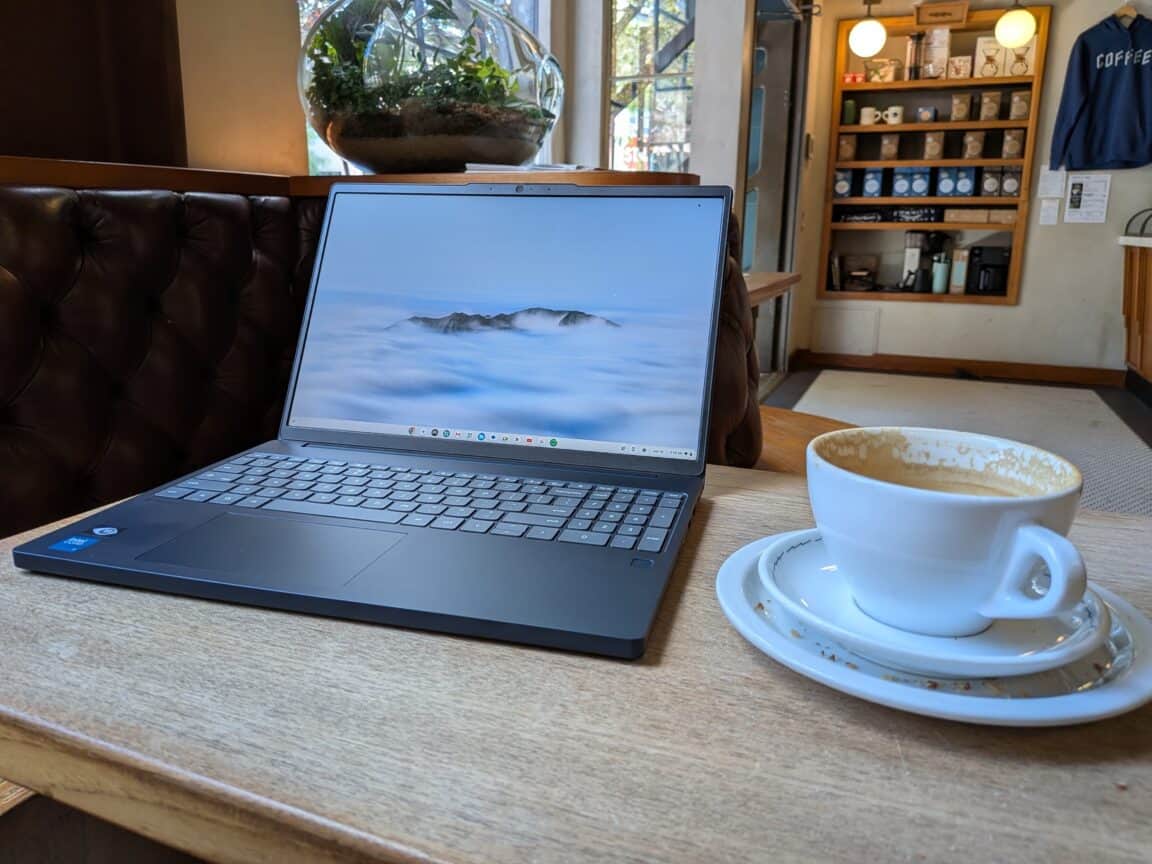
Last year, Lenovo delivered their most premium Chromebook to date in the Chromebook Plus 14, a 14-inch laptop with an OLED display for just under $800. It was a good machine, but a bit pricey for a Chromebook. This year, the new Lenovo Chromebook Plus i (the i indicates an Intel CPU, as opposed to the MediaTek processor in the Chromebook Plus 14) cuts a lot of the nice-to-haves to get the price down to under $630, while at least retaining the premium look of last year’s Chromebook Plus. The result is a laptop that is more practical and affordable for students and small businesses, without making any deal-breaking cuts to performance or usability.
Build and design
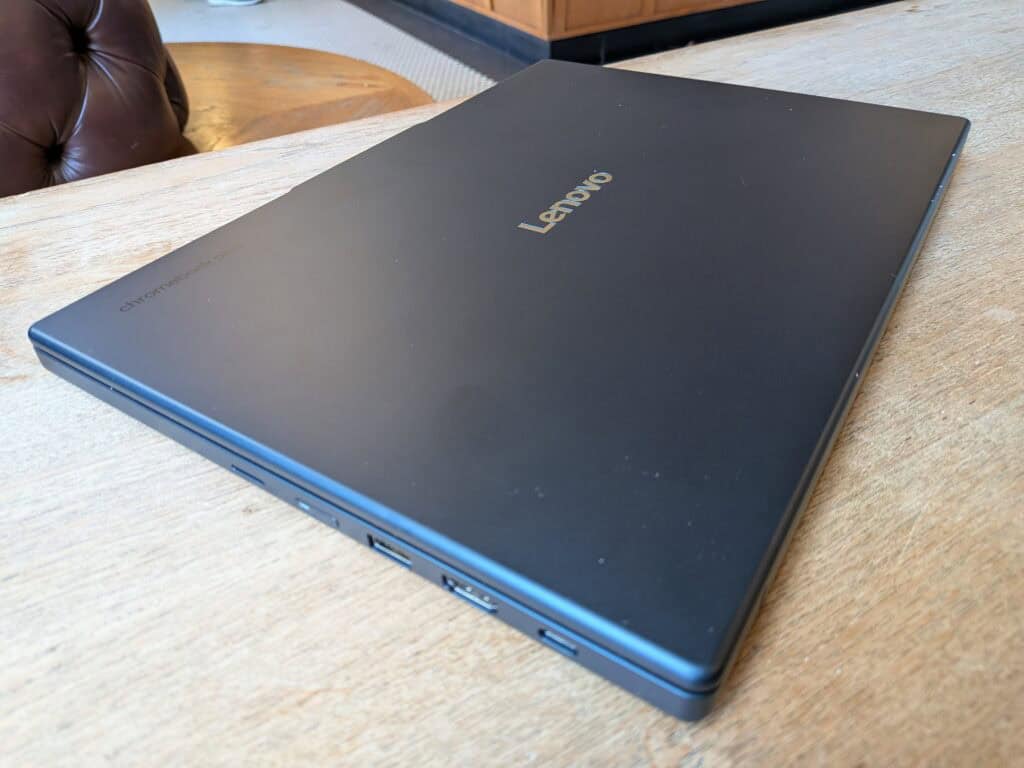
Rather than the mostly aluminum build of the Chromebook Plus 14, the Lenovo Chromebook Plus i is mostly made of recycled plastic, although we’re not sure what percentage is recycled. Despite the plastic, this laptop feels really well built and it meets the MIL-STD-810H standard for durability.
The laptop has a strong, professional look to it, with squared off edges all the way around — Chromebooks have a tendency to look as cheap, but that’s not the case here. The Chromebook Plus i feels fairly light for its size at 3.44 pounds, and can be carried in a backpack comfortably.
I was pleased to see a good number of ports on the laptop. There are two USB-C ports, two USB-A ports, an HDMI port, a microSD card slot, a combo headphones/mic port, and a Kensington lock slot.
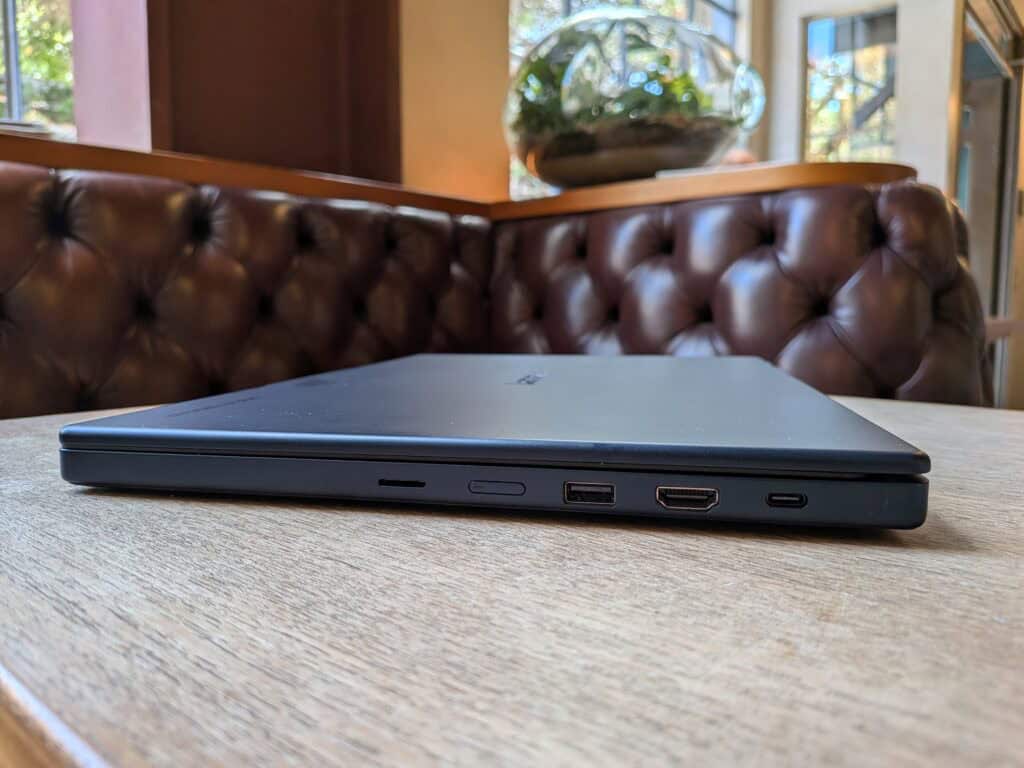
That collection of ports makes this a versatile machine for students, schools, and businesses. The two USB-A ports make it possible to use multiple accessories like a mouse and a barcode scanner at once, while the HDMI port allows students to give presentations on a larger external display. The microSD card slot is a nice extra, as there isn’t much internal storage at 128GB. Google usually likes to push you over to paid cloud storage on Drive instead, so having the ability to rely on a microSD card slot is great for anyone working with sensitive company data that needs to stay internal.
Lastly, there’s a small fingerprint reader just below the keyboard for security, which is optional. I found it to work quickly and consistently.
There’s only one color option, Cosmic Blue, but it’s a nice shade of dark navy that looks nice and doesn’t stand out too much. It has a professional look that shouldn’t be out of place if it needs to be used in a store or an office.
Chrome OS
For those new to Chromebooks, the operating system is a bit different than what you get from Apple or Microsoft. Google’s Chrome OS is a bit more similar to Android in ways that make Chromebooks more limited than other laptops. Apps are downloaded from the Play Store, as with an Android smartphone, but some Android apps are not available for Chrome OS, and some are available but are not optimized for a laptop display. You won’t be able to install and run third party programs like you would on a PC.
While that makes Chromebooks less than ideal for many folks, they end up very handy for non-technical uses, like studying or running point-of-sale systems for small businesses. The lower price and higher restrictions on what can be installed make them great for bulk use in businesses and schools that need to have tighter controls on their devices.
You’ll get the most out of a Chromebook by relying on Google’s Drive suite. Drive is deeply integrated with Chrome OS — you can pin individual Drive files to Chrome OS’s version of a taskbar, and the laptop comes with the whole productivity suite loaded up and ready to go. You’re prompted to sign into a Google account when setting up the laptop, which signs you in across all those Google programs and services. As long as you’re a heavy user of Google’s software, that makes getting work done on a Chromebook very convenient.
It gets even more convenient if you use an Android phone – you can link your phone to your Chromebook to get notifications on your laptop. That got a bit distracting, though — I turned on Do Not Disturb pretty quickly, but having those notifications on your laptop can probably be very handy, especially if the Chromebook is only being used with a work phone. Another little quality of life benefit is that your laptop will automatically connect to any secure Wi-Fi network that you’ve already connected to on your phone.
Chrome OS also comes with access to NotebookLM, an AI tool that can create summaries out of research notes, both from your own input and research from others.
Other than all the Google-specific features, there are a few differences for new Chromebook users. There’s no right-click area on the trackpad, for one — by default, Alt-click serves that purpose instead. But, most of those differences are minor, so while there’s a learning curve for newcomers, it’s not a steep one.
Performance
The Lenovo Chromebook Plus i has 8GB of RAM and an Intel Core 3 N355 processor inside, a CPU that is geared towards efficiency. It has eight 3.9GHz cores tuned for efficient power usage. Long story short, battery life is prioritized over pure performance, which makes sense — no one ever bought a Chromebook as a gaming laptop, and folks who need more power for media jobs are not the target audience here.
Fortunately, the lower-power CPU doesn’t mean this laptop chugs along. When used for work, studying, and web browsing, the laptop runs smoothly and quickly, with no slowdowns or hitches. Even browser tab fiends will be satisfied — I got up to 33 open, active tabs in Chrome before the laptop finally started to struggle with the load. Opening up and using some apps, like Spotify, proved to be a little slow, but wasn’t a deal-breaking issue.
For connectivity, the Lenovo Chromebook Plus i is compatible with Wi-Fi 6e and Bluetooth 5.3. As long as there’s a Wi-Fi 6-capable router on the other end, Wi-Fi connectivity is stable and fast.
Display and audio
The Lenovo Chromebook Plus i has a 15.3-inch 1920 x 1200 IPS touchscreen display with a 16:10 aspect ratio and a 120Hz refresh rate. No OLED display like we saw on the Chromebook Plus 14, but I think that might be for the best. The OLED display was likely one of the main reasons that laptop was so much more expensive than other Chromebooks, and I’m not sure it’s that desirable on a laptop that’s meant for folks trying to make an economical purchase.
The display on this laptop might not be as bright and detailed as an OLED display, but it’s plenty good enough for studying and web browsing. A higher resolution might make reading a little easier on the eyes, but otherwise I didn’t find much to complain about. The display maxes out at 400 nits of brightness, which is good enough in most cases. You might be a little dissatisfied if you’re trying to use it outside in sunlight, though.
Perched on top of the display is a 5MP webcam, which can be blocked with a physical privacy shutter. It does the job, but coming from higher-end webcams, I noticed the difference in image quality and clarity. Video feeds during calls looked a little dim, but not terribly so. The webcam nails basic functionality, but it doesn’t impress.
The built-in downward-firing dual stereo speakers are just OK. Waves MaxxAudio processing helps make music sound clear, without different instruments getting muddled together. I thought it didn’t perform as well with voices, though, and max volume could be a little louder. In a perfect world we get upward-firing speakers, but for downward-firing speakers, the performance wasn’t too bad.
Battery life
Battery life is neither a weakness nor a strength. In 2.5 hours of regular use — work, web browsing, Spotify in the background — the laptop went from a full charge to 59%. One hour of video used up just 11% of capacity, though, so that doesn’t seem to be any more taxing on the battery than everyday use.
Both of those tests were performed with brightness below half of the max, so if you need to crank up the brightness if you’re outside or by a window, that will run through the battery even quicker. All told battery life is not bad, but this laptop is unlikely to last a full work day on a single charge, so you’ll always want to have the charger with you.
Fortunately, charging is very fast. Lenovo advertises that the laptop can charge up to 50% in 30 minutes with the included 65W charger, but in testing the laptop proved to be better than advertised. I got from 3% to 60% in 30 minutes, and was fully charged at just about one hour exactly.
Keyboard and trackpad
Lenovo always seems to get it right with keyboards and trackpads, and the Chromebook Plus i is no exception. Key travel is satisfying, and the spacing between keys afforded by the larger 15.3-inch size is a boon, especially for folks with larger hands.
The large trackpad is also spot on. It’s shifted off a little to the left, which ended up being perfectly placed to avoid accidental palm touches with the right hand. It’s very responsive, and the sensitivity feels just right when using it to scroll. On the Chrome OS side of things, getting used to Alt-click to right click took some getting used to, but I got used to it after a day or two of use.
Pricing and availability
The Lenovo Chromebook Plus i retails for $630, which includes 128GB of storage and 8GB of RAM. It only comes in one color, Cosmic Blue.
Bottom line
Premium Chromebooks can be tricky to pull off — for under $400, the limitations of Chrome OS can be overlooked easily, especially for schools and businesses buying them in bulk. At $630, the Chromebook Plus i needs to prove it has enough value to be worth the extra cost for students and small businesses that only need to buy maybe one or two.
The Chromebook Plus i manages to do just that. Particularly for small businesses, the robust build and more professional appearance makes the extra cost worth it, especially if it’s going to be a customer-facing device. Cheap Chromebooks look cheap, and this one doesn’t. The USB and HDMI ports also add a helpful amount of versatility, especially for students or employees who might need to give presentations.
The larger display also helps add a little more value. While it’s not an OLED, I think adding an OLED would make this machine a lot pricier than it needs to be for its target audience. The Intel N355 CPU is just powerful enough for Chrome OS plus the AI goodies included, although a lot of the AI features are processed on Google’s servers.
The only major knock on this laptop is that the battery life could be a little longer — I’d love to see it last a full eight-hour workday, and I don’t think it usually will. Fortunately, charging speeds are excellent, getting you past half charged in 30 minutes. If you’re working anywhere near an outlet, you won’t have battery problems.
The Lenovo Chromebook Plus is a perfect machine for small boutique shops that need a laptop for point-of-sale systems, as well as for students who need an affordable laptop that has the power to keep up with new AI features and a display big enough to make entertainment pleasant. I can especially envision this being a hit with parents buying their kids a first laptop ahead of high school or college.