
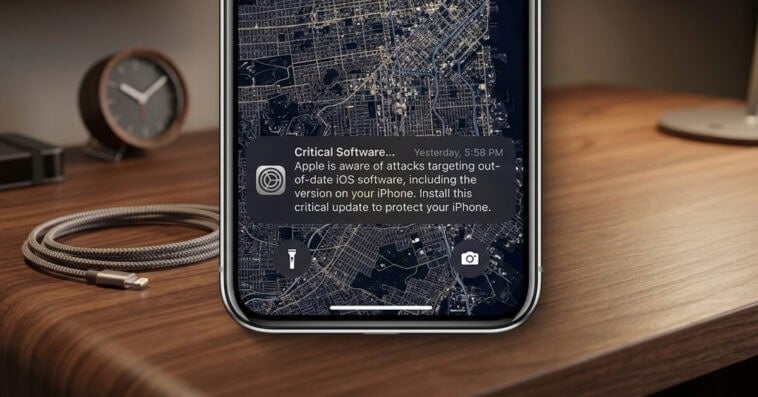
That “update later” button could be putting your iPhone at risk — and Apple isn’t taking any chances this time. In a rare move, the tech giant is sending urgent lock screen warnings directly to users running older iOS versions, cautioning that their devices may already be targets of real-world cyberattacks. The alert isn’t just precautionary: reports reveal that sophisticated hacking tools are actively exploiting outdated software, meaning a single tap on the wrong link could expose sensitive data. So, how serious is the risk, and which iPhones are affected? Read on to find out everything you need to know, including why delaying this update could cost you more than you think.
Apple sends ‘Critical Software’ alerts to iPhones running outdated iOS
Apple is now triggering high-priority “Critical Software” alerts directly on iPhone Lock Screens, a rare escalation aimed at forcing users to patch their devices against active hacking campaigns. While these warnings typically target legacy models, reports show that users on software as recent as iOS 17.0 are also receiving the prompt, which bypasses standard update notifications to warn that Apple “is aware of attacks targeting out-of-date iOS software.”
By surfacing these alerts now, Apple is effectively sounding the alarm that the vulnerabilities are being weaponized in the wild, making an immediate jump to the latest security patch a necessity rather than a suggestion.
How one wrong click could expose older iPhones
According to Apple, the urgent alerts stem from growing evidence that hackers are actively exploiting weaknesses in older iOS versions. Security reports have identified powerful exploit kits known as “Coruna” and “DarkSword”, which are both capable of targeting devices running anything from iOS 13 up to iOS 17.2.1. These tools allow attackers to breach unpatched iPhones through seemingly simple actions, such as tapping a malicious link or visiting a compromised website, potentially leading to stolen personal data.
Apple Inc. rolled out iOS 15.8.7 and iOS 16.7.15 on March 11, along with matching iPadOS updates, specifically to patch vulnerabilities linked to the “Coruna” exploit kit. These updates are part of Apple’s broader effort to secure older devices that may not support the very latest software. Devices already running updated versions from iOS 15 up through iOS 26 are considered protected against these threats.
How to protect your iPhone from active security threats
If your iPhone or iPad is still running iOS 13 or 14, your device remains wide open to these exploits until you transition to at least iOS 15 — the baseline version required to support Apple’s current security patches. Apple warns that dismissiveness is a major risk factor; staying on the most recent software version possible is the single most effective way to lock down your private data. To secure your device, navigate to Settings > General > Software Update and follow the prompts to install the latest build.
For those in a bind, perhaps due to a restricted internet connection or being unable to run the very latest OS, Apple recommends a fail-safe measure: Lockdown Mode. Available for those on iOS 16 or newer, this extreme security setting provides a digital fortress against malicious web content, offering a vital layer of defense for users who cannot immediately download the full software patch.
Sources: Apple, Mac Rumors