
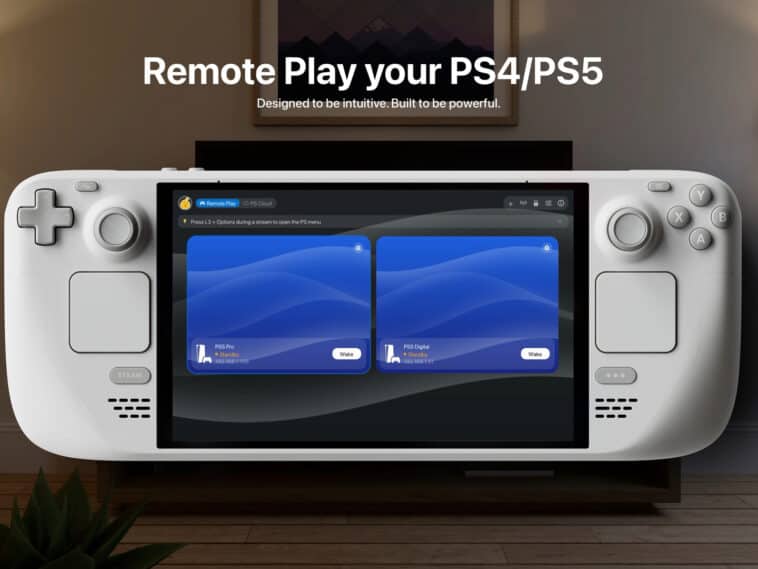
Want to play Astro Bot on a Steam Deck but don’t own a PS5? A new app called Asobi: Remote Play is here to let you do just that. The app lets owners of Steam Decks, Steam Machines, and other SteamOS or Linux devices stream supported PS4 and PS5 games. And the really interesting part is that you do not necessarily need a PS4 or PS5 console.
Asobi can tap into PlayStation’s cloud streaming infrastructure, potentially turning your handheld PC into a weird little PlayStation Portal without actually being a PlayStation Portal.
There are a few catches, and we’ll go over them.
Steam Deck just learned a new trick
Remote-playing PlayStation games is not exactly revolutionary. Sony already has the PlayStation Portal, while Microsoft’s Xbox ecosystem and devices like the Logitech G Cloud have made streaming games to handheld hardware increasingly normal.
Asobi’s interesting twist is bringing that PlayStation streaming experience to SteamOS and Linux devices. That means your Steam Deck could potentially become the place where you play your Steam library and certain PlayStation games that Sony hasn’t released on PC. And yes, that includes some pretty tempting stuff.
Games such as Demon’s Souls, Astro Bot and Saros are among the titles that can be streamed through the service, giving PC gamers another way to get at PlayStation games that aren’t traditionally available on PC. Still no Bloodborne, though.
The PS5 can stay on the shelf
The biggest deal here is that Asobi isn’t limited to traditional Remote Play. Normally, if you want to stream a PlayStation game remotely, you need the actual console doing the heavy lifting. Your PS5 runs the game, then sends the video and audio to your other device.
Asobi can also support cloud streaming, meaning compatible games can run on Sony’s servers instead. That’s the same basic idea behind PlayStation Plus cloud streaming.
There is one giant subscription-shaped catch
Before you start imagining Astro Bot running on your Steam Deck five minutes from now, there’s an important requirement. You need an active PlayStation Plus Premium subscription to use the cloud-streaming features.
You will also need a PlayStation Network account, and the game you are trying to play has to be supported by Sony’s cloud catalog or otherwise eligible for the service.
What about games you actually own?
Asobi is designed to support both games available through PlayStation Plus and certain games that users own. But owning a PlayStation game does not automatically mean you can stream it from Sony’s servers. Availability depends on whether the title is supported by the cloud service.
So before you start building a fantasy Steam Deck library entirely around your PlayStation purchases, check whether the games you care about are actually eligible. The good news is that the supported catalog includes some major PlayStation titles. The bad news, on the other hand, is that Sony still gets to decide what enters the cloud party.
There’s a free version and a paid version
Asobi is currently being tested on Steam, and the app has both free and paid tiers planned. The free version lets users stream supported games at up to 1080p and 30fps. That’s perfectly playable, but if you are the kind of person who notices when a game drops from 60fps to 58fps and immediately starts investigating your router, there is a more powerful option.
The paid version adds 1080p at 60fps, HDR, 4K upscaling on supported displays and up to 120fps on compatible monitors. It also includes things like manual bitrate controls, low-latency modes, and an experimental mode designed to help with unstable Wi-Fi connections. During the current beta, premium features are reportedly unlocked for testers.
It’s still very much a work in progress
The Asobi app is still in beta testing, and some users have reported problems streaming games that should otherwise be supported. The developer has been sending out more beta invitations, so access is still rolling out.
Sources: Polygon, Gaming Bible