Ninja seems almost unstoppable lately. From the CREAMi and SLUSHi to its Woodfire pizza ovens, the company has become remarkably good at bringing experiences that once felt commercial or enthusiast-only into the home.
The AutoBarista Pro applies that same formula to coffee, but it is much more than a traditional coffee maker. It grinds the beans, measures the dose, tamps the grounds, brews the coffee, and prepares the milk, offering 13 coffee-shop-style drinks with only a few button presses.
It can handle espresso drinks, drip coffee, iced coffee, rapid cold brew, and both dairy and plant-based milk without asking you to learn the finer points of making espresso. For anyone looking for a serious upgrade from a Keurig, Nespresso, or basic drip machine, but not yet ready to spend several thousand dollars, the AutoBarista is one of the first machines worth researching.
Design and footprint
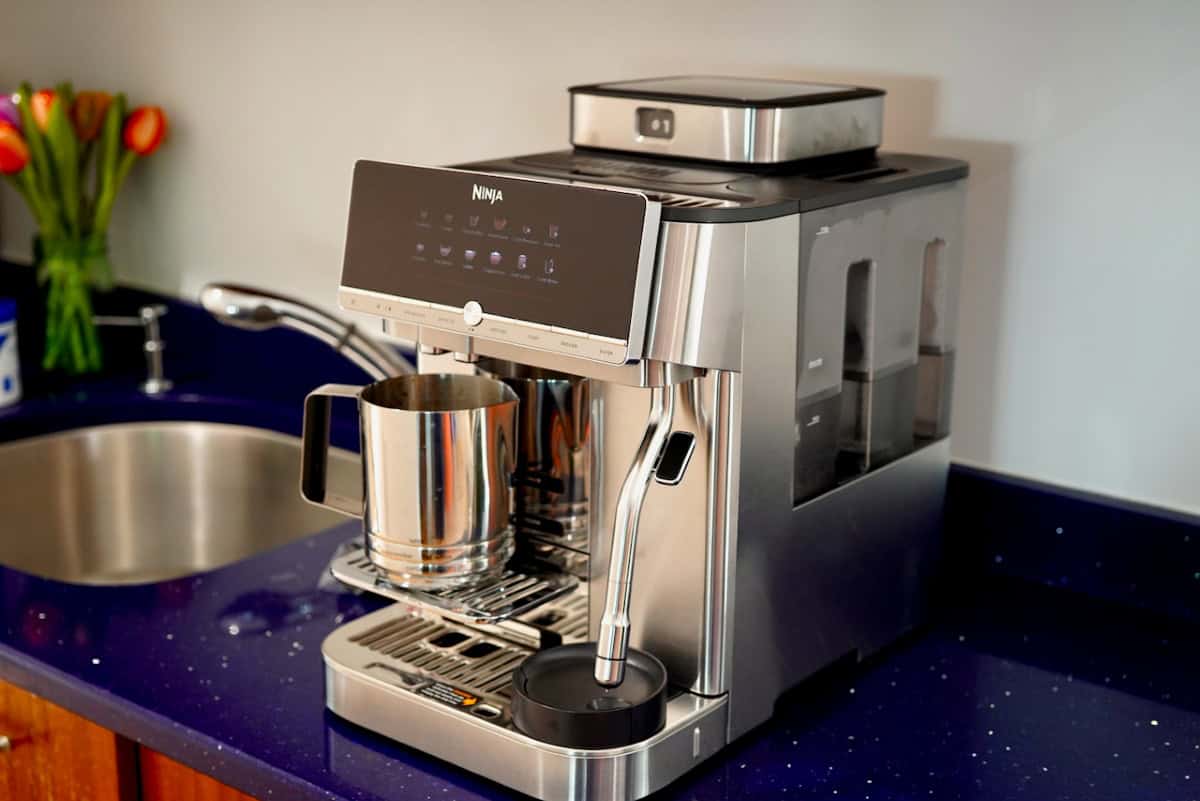
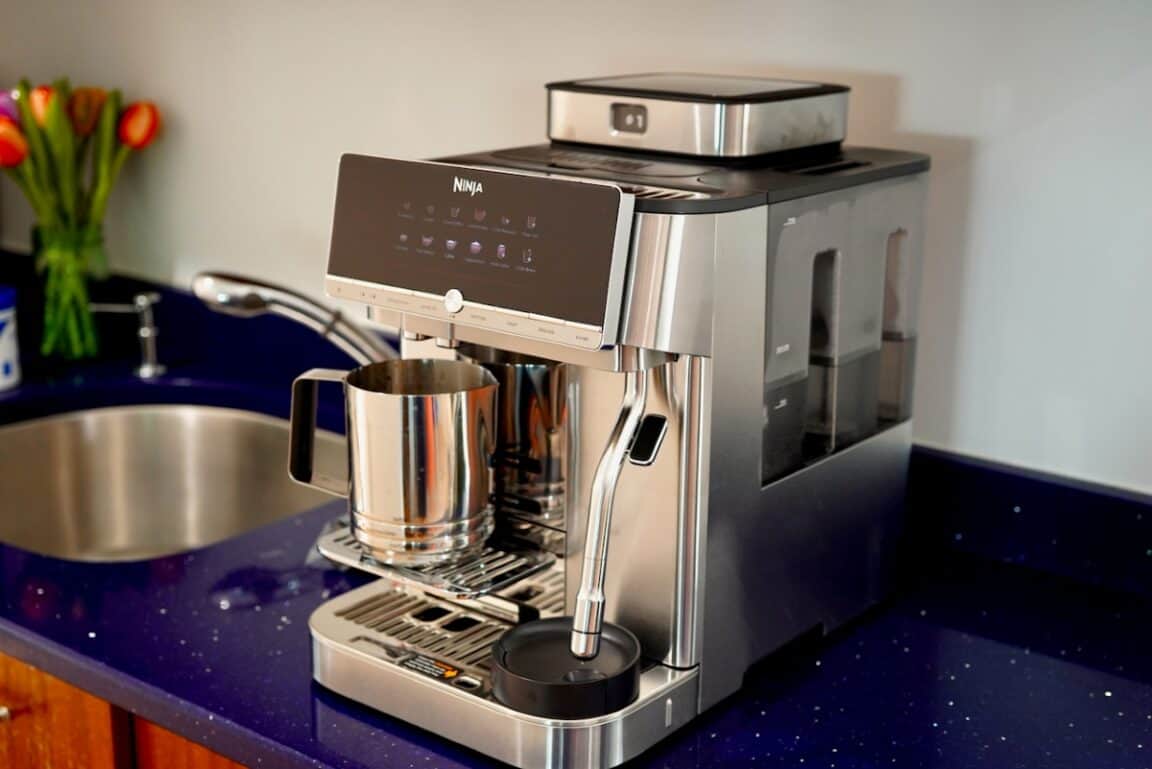
The AutoBarista Pro looks like a serious piece of equipment. It is one of the most striking Ninja products I have used and leans fully into the idea of a high-tech, all-in-one coffee experience. The stainless steel body, polished surfaces, and substantial front panel make it feel more like a centerpiece than another countertop appliance. Even next to my much more expensive Jura Z8, the Ninja holds its own and may actually be the more visually striking of the two.
It is a large machine, but the shape is fairly practical. At a little over 10 inches wide, it is relatively narrow, with most of its size extending toward the back of the counter. There are no large water tanks, milk systems, or other appendages hanging off either side, so it may fit into a tighter kitchen better than its overall size would suggest. You will still want to make sure you have enough counter depth and some space above it to access the water and beans.
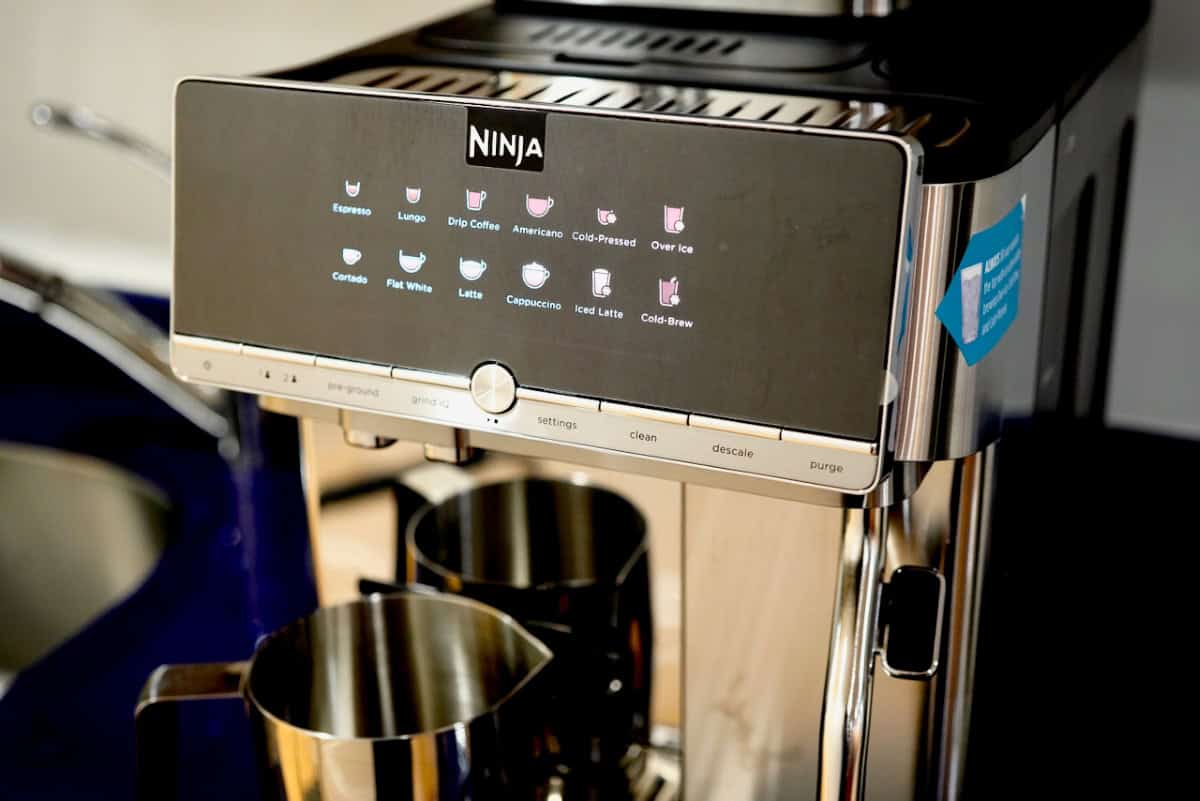
The front panel initially looks very modern, but it is not a full LCD touchscreen. All of the drink choices are fixed, illuminated icons, while a smaller segmented display handles basic text and numbers. That limits how much information it can display and means there is no deeper menu system filled with explanations or endless customization.
The basic screen isn’t entirely a negative. Nearly every drink and milk option is visible at once, so you don’t have to dig through menus to find a latte, cortado, or cold brew. It also makes the machine much easier for guests to use. As someone still learning about coffee, I would have appreciated a screen that could explain what each drink is and replace some of the time spent consulting the manual. The interface is intentionally simple, but some of the machine’s depth stays hidden.
Features
The included metal pitcher in the Ninja AutoBarista Pro uses a removable magnetic whisk, and the machine automatically froths the milk after brewing compatible drinks | ©Image Credit: GEEKSPINThe AutoBarista Pro packs in a lot of technology, although most of it works quietly behind the scenes. Rather than expecting you to learn how to dial in espresso, Ninja automates the complicated parts. It grinds the beans, weighs the dose, tamps the grounds, adjusts the grind through Grind iQ, and brews at the proper pressure without requiring much input from the user.
After selecting a drink, you can usually adjust the temperature, strength, drink size, number of espresso shots, and milk texture. There isn’t a deep settings menu, but I found the available controls covered just about everything I actually wanted to change.
The Pro offers 13 one-touch drinks, including espresso, coffee, Americanos, cappuccinos, lattes, flat whites, cortados, iced drinks, and rapid cold brew. It also includes two user profiles, two swappable bean hoppers, and a pre-ground coffee chute for the occasional change of pace.
One of my favorite features is the milk system. The included metal pitcher uses a removable magnetic whisk, and the machine automatically froths the milk after brewing compatible drinks. There are five froth options, ranging from steamed milk to extra-thick foam and cold foam, along with separate settings for dairy and plant-based milk.
I also like that you still pour the milk yourself at the end. It makes the process feel a little more hands-on while letting you decide exactly how much milk goes into the finished drink.
The Over Ice setting brews a stronger coffee so it holds up better as the ice melts, while Rapid Cold Brew produces a smoother cold drink in just a few minutes. Neither replaces a traditional overnight cold brew, but both are a noticeable improvement over simply pouring hot coffee onto ice.
Other thoughtful touches include Brew Two for making two drinks at once and an adjustable cup platform that accommodates everything from espresso cups to taller travel mugs.
Usage and performance
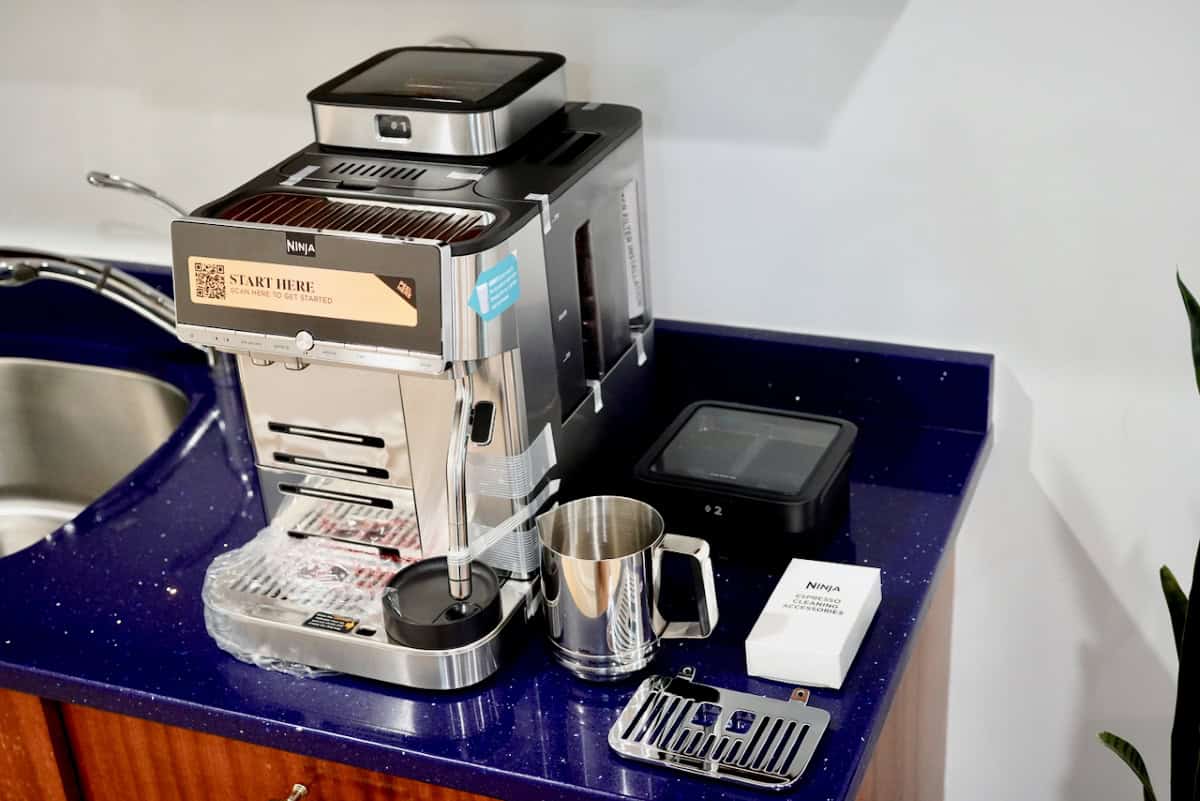
The initial setup is a little intimidating. There are several components to wash and install, followed by a setup process that goes well beyond simply filling the water tank and pressing a button. Even so, I had everything unboxed, configured, and making coffee in under an hour. Part of that setup includes testing your water hardness, which is a nice touch and reinforces that this is a more serious coffee machine than a typical countertop brewer.
The biggest part of setup is Ninja’s Grind iQ calibration. The process took a little over five minutes for me and uses a noticeable amount of coffee while it learns the ideal grind setting for your beans. Thankfully, it’s not something you’ll do every day, but it’s worth knowing that your first bag of beans will sacrifice a handful to get everything dialed in.
Once setup is complete, using the machine couldn’t be much easier. Making coffee is usually just a matter of choosing your drink, making a few adjustments if you want to, and pressing Start. Every cup is made completely fresh, and beans are ground on the spot. From the time you turn it on, it usually takes three to five minutes before you’re enjoying your first cup, and there’s very little for you to do in tha timespan.
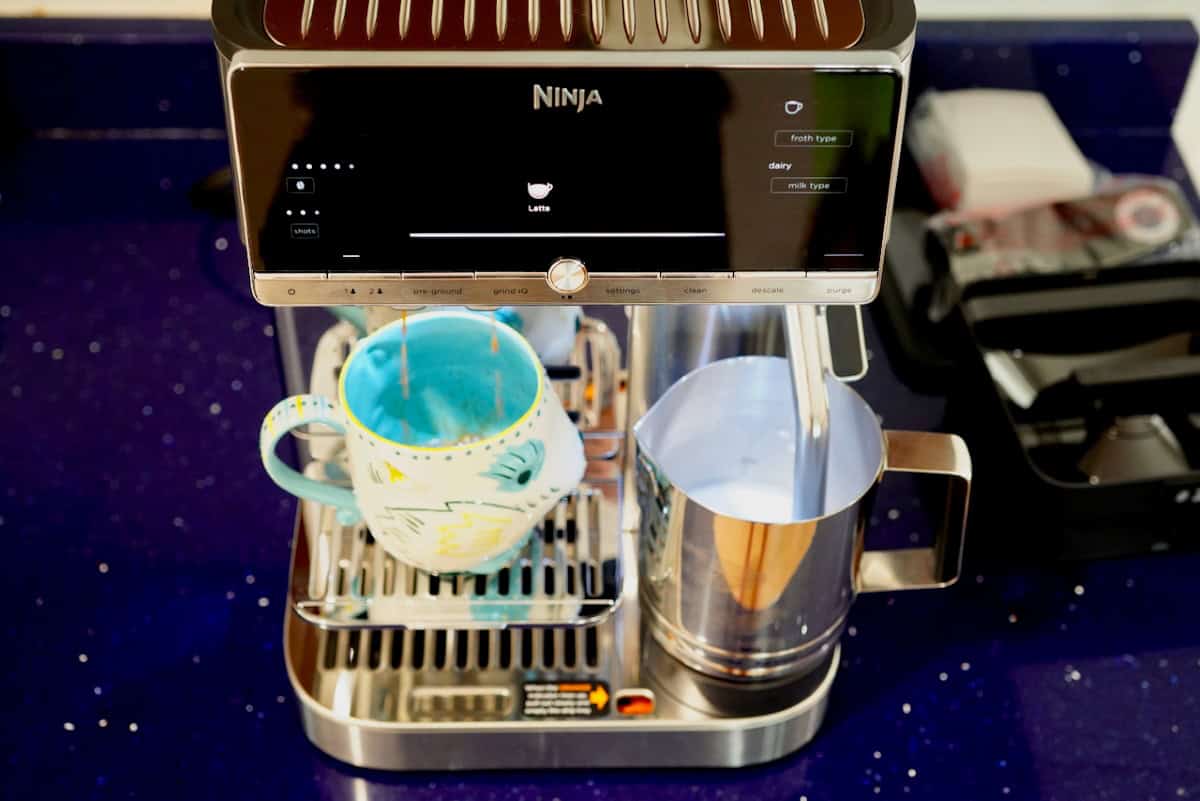
Seeing all the drink options front-and-center encourages you to experiment. I’ve tried almost every drink it makes, and I’m still tweaking settings to figure out my favorites. Between the drink selection, shot count, strength, temperature, milk settings, and dedicated cold coffee modes, there’s plenty to explore without feeling overwhelmed. I still prefer a traditional overnight cold brew, but both cold coffee modes are clear improvements over pouring hot coffee onto ice.
The milk frother also makes it surprisingly easy to create drinks that look like they came from a coffee shop. My only real complaint is that the machine could do a better job teaching you about the different drinks. It includes a full-page reference guide, but there’s no convenient place to keep it next to the machine, and an on-screen explanation would have made experimenting even more enjoyable.
For the most part, the drinks were consistently good. I did have one stretch where several espresso shots came out unusually pale and watery. Recalibrating Grind iQ and switching beans resolved the issue, and I haven’t experienced it since. Beyond that, the machine has been reliable and has earned my trust.
Cleaning and maintenance
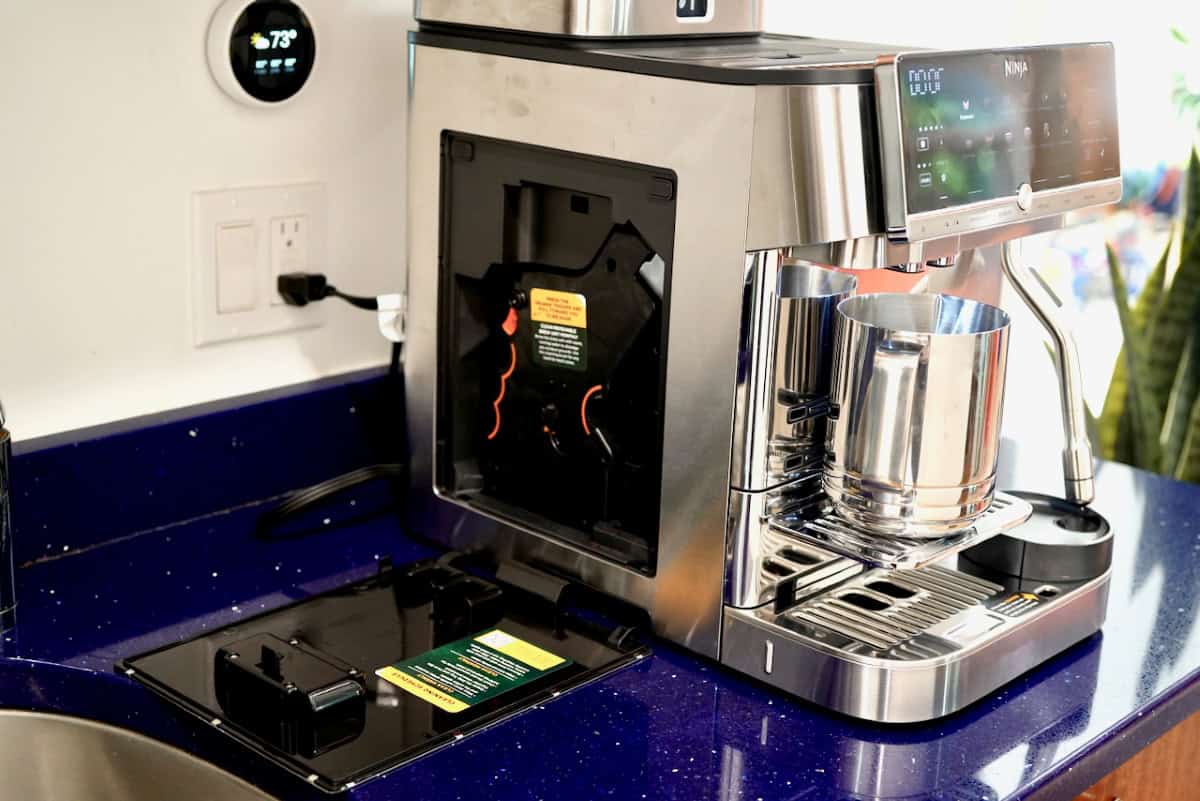
Cleaning the AutoBarista Pro has been easier than I expected because it does a great job of telling you what it needs. It prompts you when it’s time to refill the water, add beans, empty the grounds container or drip tray, and run cleaning, purge, or descaling cycles.
Ninja even includes the cleaning tablets and descaling powder in the box, so you’re not immediately shopping for maintenance supplies. Most of the mess stays contained inside the machine, too. The countertop stays clean, you rarely see stray coffee grounds or splashes, and the exterior usually needs nothing more than a quick wipe.
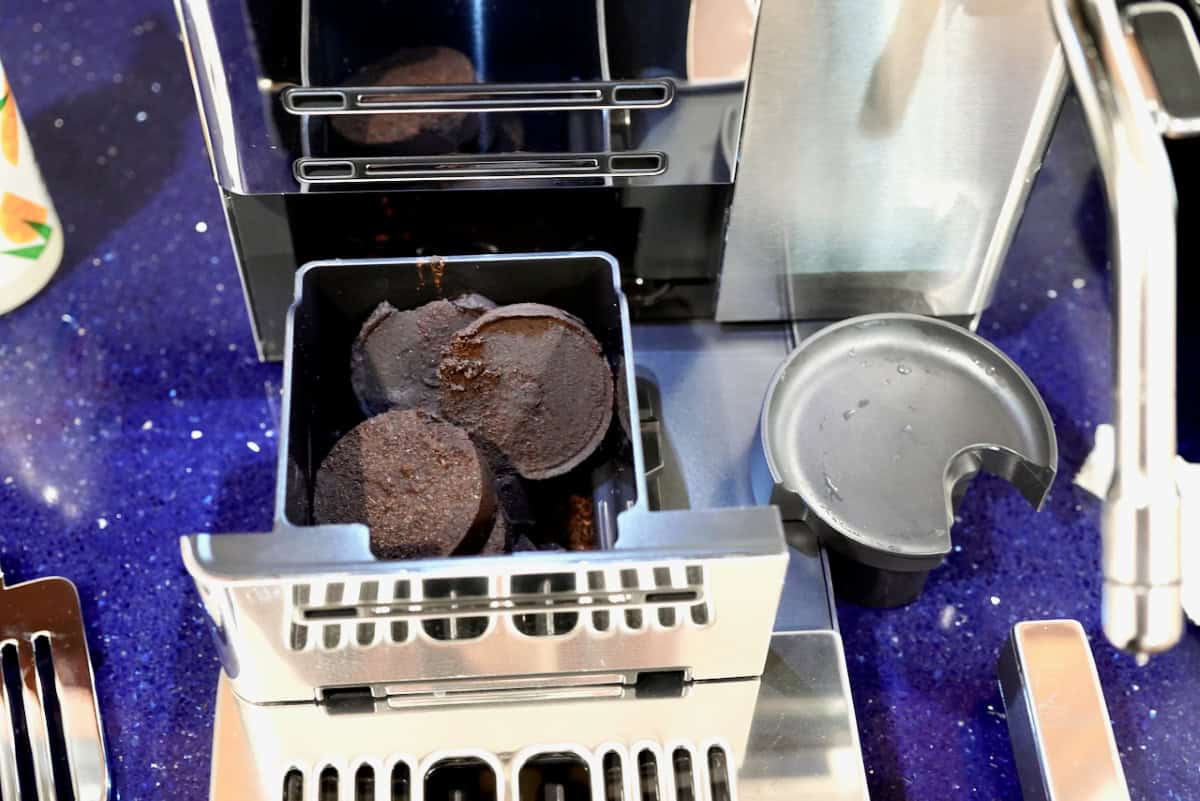
The only lesson I learned the hard way is that the used coffee pucks stay damp. Because I sometimes went a week between uses, I left them sitting in the grounds container long enough for mold to develop.
That’s more a result of my usage than a flaw with the machine, but it’s a good reminder to empty the grounds container semi-regularly, even if the machine hasn’t prompted you. Otherwise, day-to-day maintenance is minimal, with refilling the water tank being the task I perform most often.
Final thoughts
The AutoBarista Pro feels like another SharkNinja success story. It looks, feels, and performs like a machine that belongs comfortably in the four-figure category, which makes its $949.99 price feel surprisingly reasonable. That also means the standard AutoBarista is worth considering if you don’t need the Pro’s extra drink options, dual bean hoppers, and a handful of other premium features.
If you’re looking to upgrade your coffee situation and you’re not yet ready to spend thousands, this is exactly where I’d start looking. It’s been a lot of fun to use, looks fantastic on the counter, and consistently makes coffee I’m happy to drink.
It’s also a big hit with guests thanks to its ease of use, versatility, and cafe quality drinks. There are a few trade-offs, but they’re easy to live with, and the overall experience is one of the most approachable I’ve found without stepping into the world of multi-thousand-dollar espresso machines.